Audit
Audit Trail
With Audit Trail, you can now track changes across OptiShft from one place. The new Audit page gives administrators, HR and compliance users a centralized view of who changed what, and when, across the entire system.
Audit Trail
With Audit Trail, you can now track changes across OptiShft from one place. The new Audit page gives administrators, HR and compliance users a centralized view of who changed what, and when, across the entire system.
How to Use the Audit Module
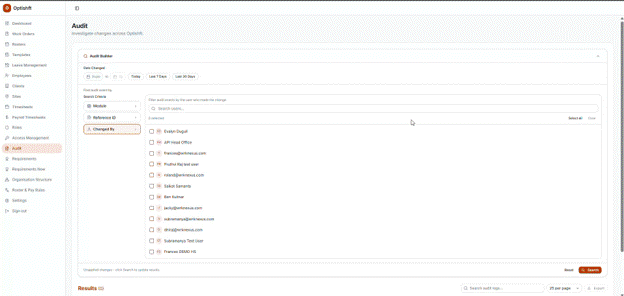
Search audit records by Date Range, Module, Reference ID, or Changed By.
Date Range – Select a specific date to view audit records. Use the filters to find specific audit records, then click a record to view its Audit Event Details and history.
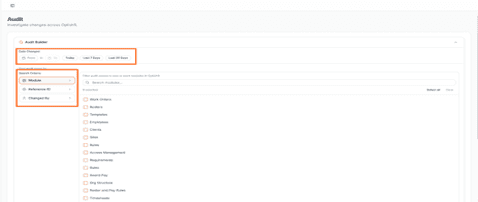
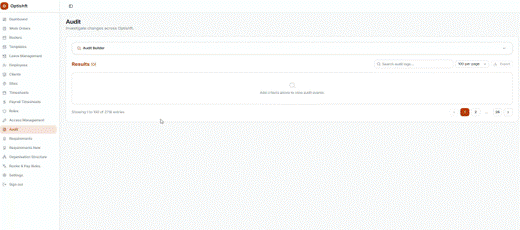
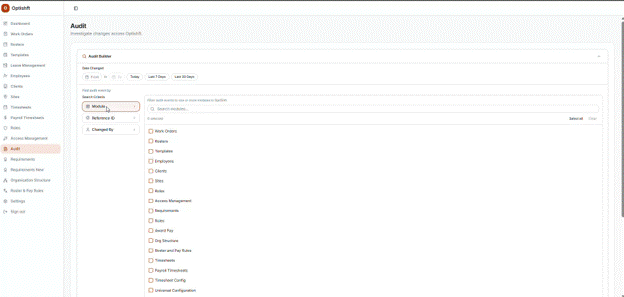
Module – View audit records for a specific module, or select All to view all modules.
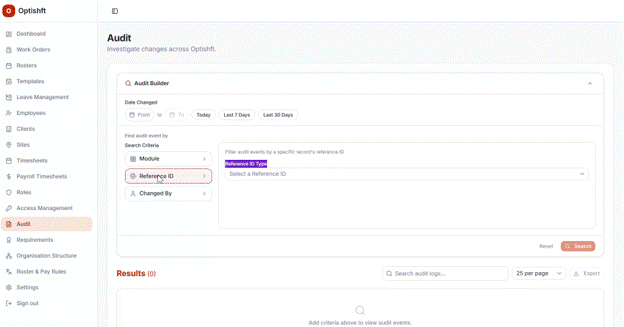
Reference ID – Search for a specific record using its Reference ID.
Changed By – View audit records for all employees or a specific employee.
Where to Get the Reference ID
Open the record and copy the ID from the URL after the “/”. Reference IDs are available for:
Employee ID
Client ID
Site ID
Role ID
Shift ID
Roster ID
Work Order ID
Timecard ID
Template ID
Notes:
In a future release, a Reference ID field will be added to Client, Site, Role, Employee and other records, making it easier to copy and use for search.
Timesheet reference ID will be available in the next release. Only Timecard ID is available in this release.
What’s Tracked
Item | Description |
|---|---|
Date Changed | When the change happened |
Changed By | Who made the change |
Action | The type of change (e.g. Created, Updated, Deleted, Status Change) |
Module | Which part of the system the change occurred in |
Entity | The specific record that was changed |
Field Changed | The exact field that was updated |
From / To | The previous value and the new value |
Reference ID | A unique ID for locating or referencing the change |
Exporting
Export filtered results to CSV or XLSX.
Exports are limited to 100,000 rows; larger exports are queued and emailed to the user.
Built for Compliance
Audit records are write-once and immutable - once created, they can’t be edited or deleted at any level.
Retained for a minimum of seven years, giving you a reliable long-term record for compliance and reporting.
Permissions
Administrators have full visibility across the centralized Audit page and all record-level Audit tabs, with export access.
Audit records are restricted by user permissions. Users can only view audit data for the modules and records they have access to.
Role | Audit Page | Per-Module Audit Tab | Export |
|---|---|---|---|
Administrator | Full | Full | Yes |
HR Manager | Full | Full | Yes |
Workforce Manager | Full | Full | Yes |
Need help? Contact Support